How to write an Upwork proposal clients actually read (with examples)
Learn Upwork proposal tips that help you choose better jobs, write client-focused openings, use real examples, and track views, replies, and interviews.
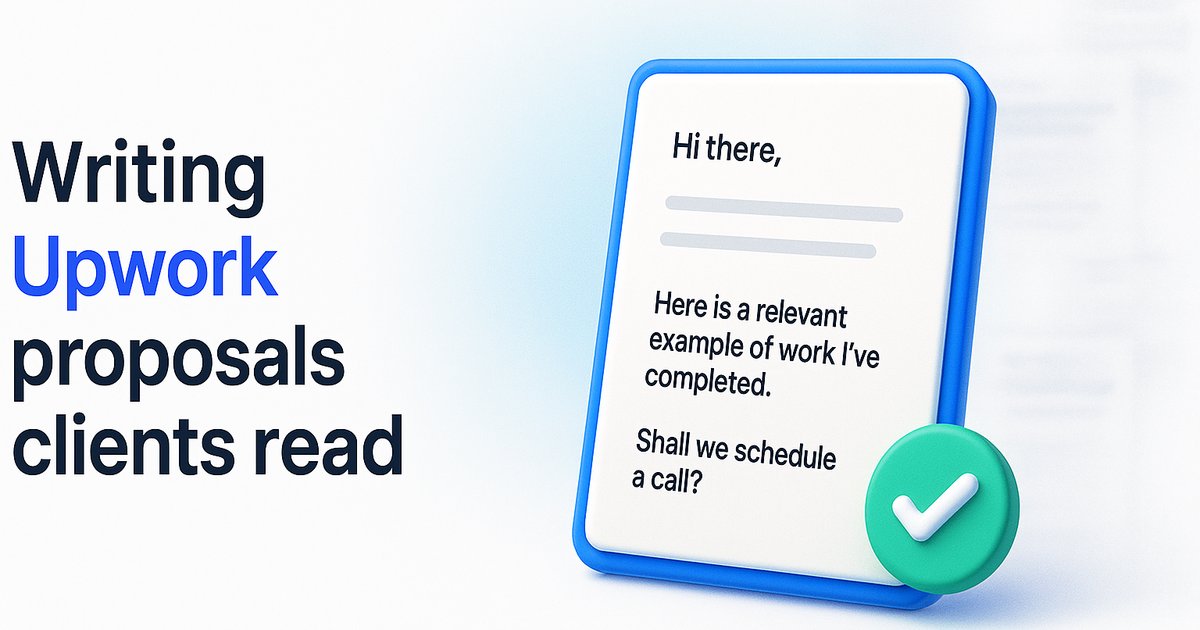
- →Choose credible, relevant jobs before spending Connects.
- →Start with the client's problem, then show specific proof and a simple plan.
- →Keep proposals focused and close with one useful question.
- →Track views, interviews, and hires so you can improve the right step.
Introduction
To write an Upwork proposal that gets replies, first choose a job you can genuinely deliver. Then open with the client's problem, show relevant proof, explain your approach, and ask one useful question. Those are the Upwork proposal tips that matter most. A generic cover letter gives the client little reason to respond. A focused message shows that you understand the work and have a sensible starting point. Still, even a strong proposal may never be opened. Clients can receive many applications, change priorities, or decide not to hire. That is why your application strategy needs two parts: selecting promising jobs and writing messages worth reading. This guide walks through both. You will see a four-part proposal framework, examples for automation, website, and support projects, and a way to review your results. Use the examples as models, not scripts. Every claim about your experience must be true, and every proposal should respond to the specific job.
Upwork proposal tips start with choosing the right job
Before writing, check whether the job fits your skills and rate. Look at the client's description, hiring history, budget, and signs that the project is ready to begin. A verified payment method is useful, but it does not guarantee a hire. A new client is not automatically a bad prospect.
Ask yourself three questions:
Can I show proof that relates to this exact problem?
Does the client explain a real outcome or deliverable?
Would winning this job be worth the time and Connects required?
If you cannot answer those questions, move on or research the opportunity further. You can also review WinOnUp's job discovery and proposal workflow to organize opportunities before applying.
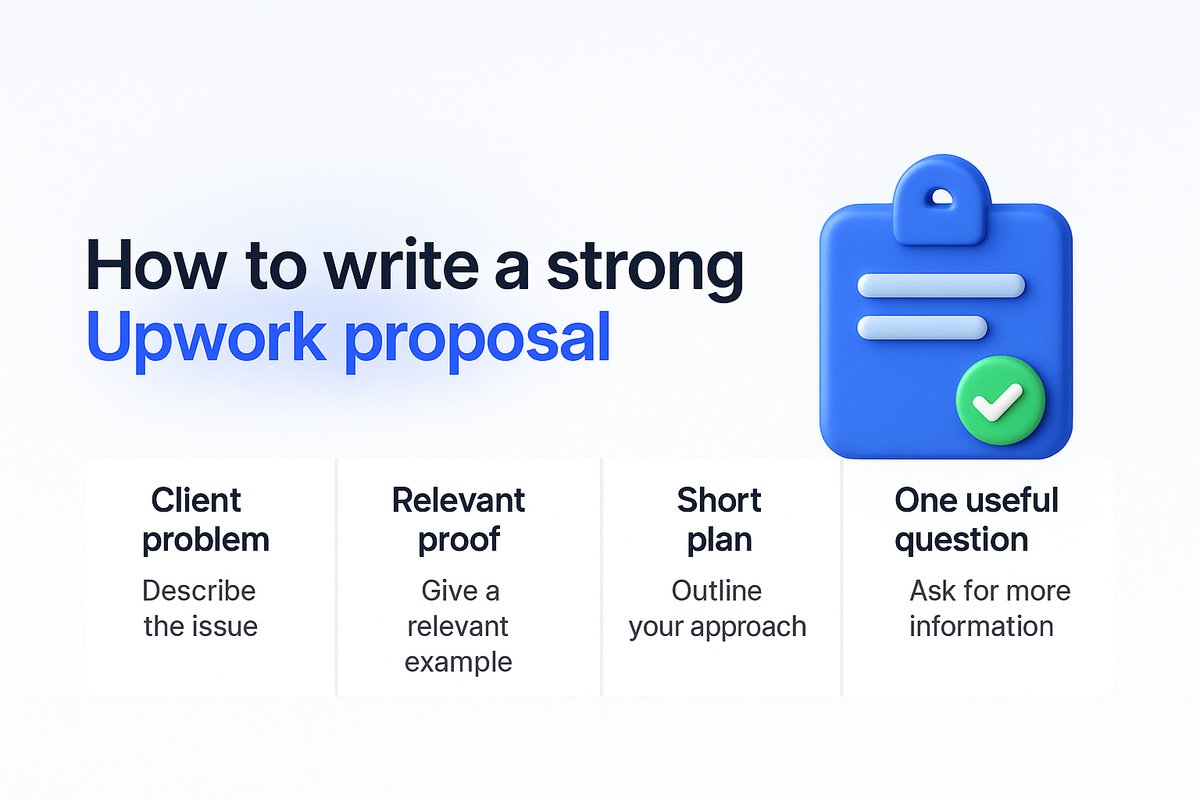
Use a four-part Upwork proposal structure
The best structure is simple. You want the client to understand your fit without digging through a long biography.
Problem: Restate the goal in plain language, using a detail from the job.
Proof: Share one relevant result, portfolio sample, or honest example of similar work.
Plan: Explain two or three steps you would take first.
Question: End with one question that moves the project forward.
Do not copy the job post back to the client. Show that you understand the practical challenge behind it.
Upwork proposal examples you can adapt
These are illustrative drafts, not real client testimonials. Replace any claim about past work with evidence from your own experience.
Automation project
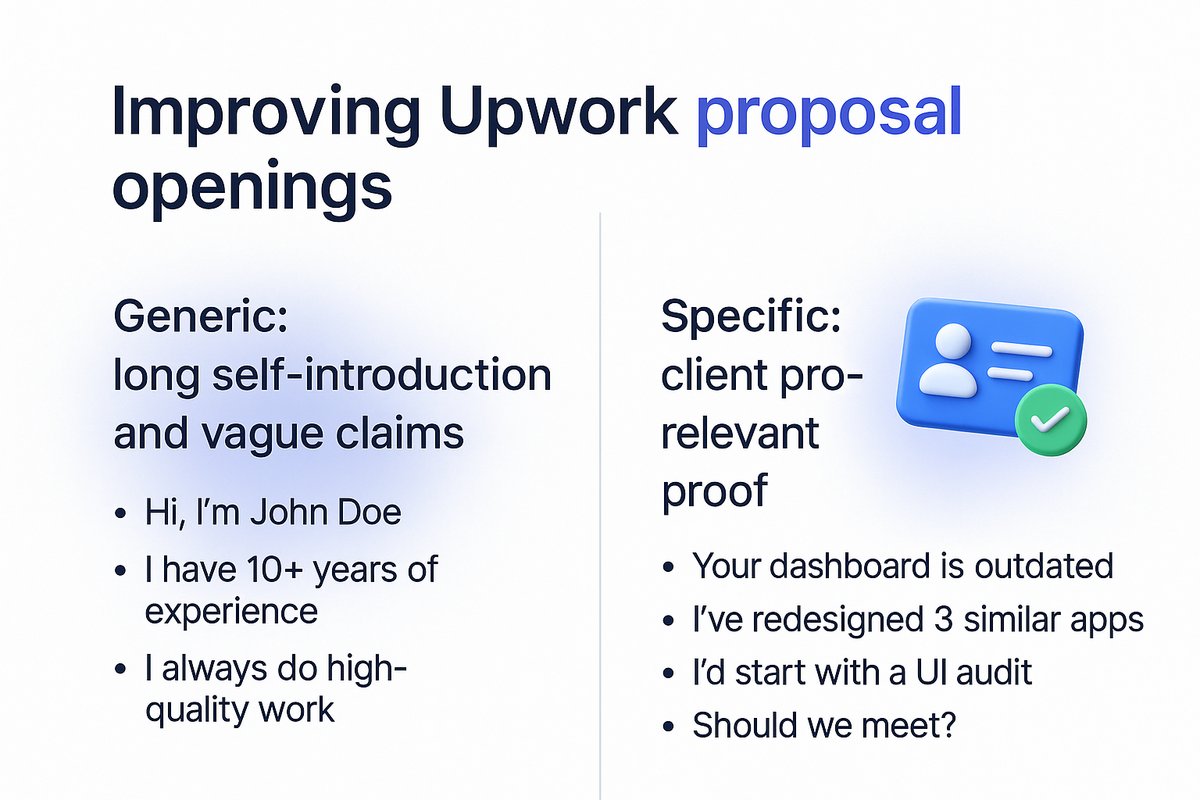
Weak: “I'm an automation expert and would love to help.”
Better: “Your form entries appear to reach the spreadsheet, but staff still copy each lead into the CRM. I'd map the fields, confirm duplicate rules, and test one record end to end before switching on the workflow. Do you want the CRM or the spreadsheet to be the source of truth?”
Website redesign
Weak: “I can make you a modern website fast.”
Better: “It sounds like the main issue is helping visitors understand your service and book a call. I'd review the current page structure, clarify the primary call to action, and create a mobile-first homepage concept. Do you have analytics that show where visitors leave?”
Ongoing technical support
Weak: “I can handle all your IT needs.”
Better: “For ongoing support, I'd start with an access inventory, recurring issue log, and clear priority rules. That gives your team a reliable baseline before we automate routine tasks. Is the bigger concern slow fixes or not knowing what is being maintained?”
Each stronger version offers a plan and ends with a question. Add one verified proof point when you have it.
Make proof more useful than a long biography
Clients want confidence that you can do the work. A specific example is more useful than a list of broad skills. Mention the kind of project, the challenge, and what you personally delivered. If you have permission to share a sample, include it.
If you are new to Upwork, use relevant work from outside the platform. A personal project can also show your process. Label it clearly rather than presenting it as paid client work.
Upwork explains how clients review proposals and work samples. The client can inspect your bid, cover letter, profile, and any included samples. Make those elements tell the same story.
Avoid proposal mistakes that waste Connects
Common mistakes include opening with your life story, sending the same message to every client, promising results you cannot support, and answering none of the job's real questions. Another mistake is paying to boost every application without measuring the outcome.
Upwork says a proposal's cover letter and question answers can usually be edited within six hours or until the client views it, whichever happens first. See its official proposal editing guidance. Proofread before submitting rather than relying on a later edit.
Track proposal views, interviews, and hires
Do not judge your strategy by the number of proposals sent. Look at the full path: sent, viewed, interviewed, and hired. If proposals are rarely viewed, revisit job targeting and visibility. If clients view them but rarely reply, test your opening, proof, and fit.
Upwork's Stats and Trends documentation confirms these proposal measures and explains that its data can update after activity. Compare similar jobs over time rather than drawing conclusions from a few applications.
A tool can help keep this process consistent. WinOnUp's proposal tracking features bring job discovery, drafts, and application tracking into one workflow. You still review and submit your own proposals.
Conclusion
A proposal that earns attention starts before you click Apply. Choose work that fits your skills and offers a credible path to a hire. Open with the client's problem instead of a biography. Add proof you can stand behind, describe the first steps, and end with one useful question. These habits make your proposal easier to evaluate, even when the client is reviewing many candidates. They also help you avoid wasting Connects on poor-fit opportunities. Once you start applying, review your sent, viewed, interviewed, and hired numbers. Those results tell you whether to improve targeting, visibility, or the message itself. For your next application, use the four-part structure in this guide and save the outcome. Over time, a repeatable process will teach you more than another generic proposal template.
Frequently asked questions
How long should an Upwork proposal be?
Write enough to show the client's problem, relevant proof, a short plan, and a next step. A few focused paragraphs often work better than a long general letter.
Should I use AI to write Upwork proposals?
AI can help organize and edit your draft. Check every claim and rewrite generic wording. Your final proposal should reflect the actual job and your real experience.
Should I boost every Upwork proposal?
No. Boosting adds a cost, and it does not guarantee an interview. Compare views, interviews, and hires across similar jobs before deciding when it makes sense.
Why are my Upwork proposals not getting viewed?
Possible reasons include competition, weak targeting, and clients who do not return to review applications. Look at your view data before assuming the wording is the problem.
Stop missing the Upwork jobs worth your Connects.
- New-job alerts every 60 seconds by email, Discord or Google Chat
- Client hire rate, spend and proposal count before you apply
- See what your Connects actually return
No card needed to sign up · 14-day free trial · Cancel anytime
Related guides
Get more invites on Upwork by fixing your profile skills, title and categories, the fields Upwork search uses to put you in front of clients.
Learn how to get Upwork job alerts the moment jobs post, why RSS stopped working, and what to set up instead to stop missing good leads.